Gear and software costs pile up quietly
Cameras, lenses, lighting, editing apps, and cloud storage are easy to buy and easy to lose in messy records.
Built specifically for photographers. Track gear, travel, and shoot expenses as they happen, then hand your accountant organized books without a year-end scramble.
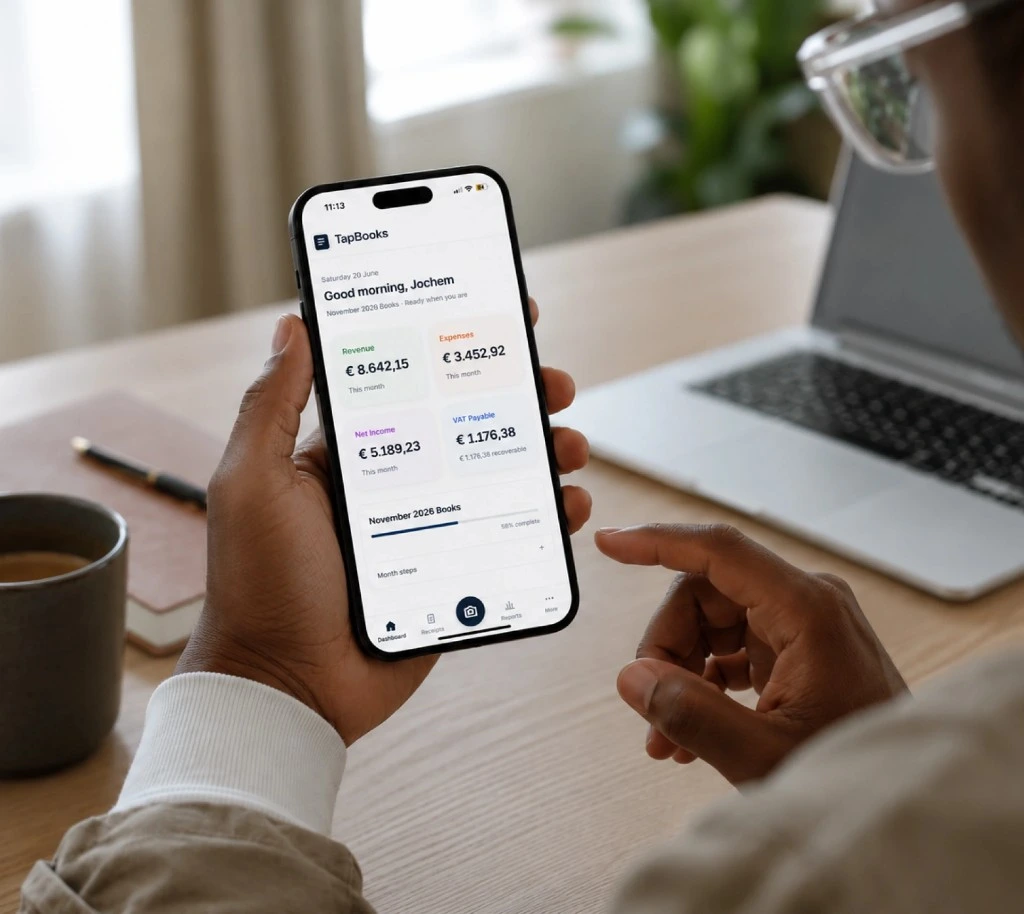
Shoots move fast. Expenses do too. These are the friction points that make photography books harder than they need to be.
Cameras, lenses, lighting, editing apps, and cloud storage are easy to buy and easy to lose in messy records.
Mileage, parking, hotels, and meals for location shoots often live in different apps until tax season.
Wedding and event months push admin aside, so bank reconciliation and expense tracking fall behind.
When invoices, receipts, and gear purchases are unsorted, your accountant spends time reconstructing context.
Photographers usually track a mix of gear, travel, and studio costs as deductible expenses throughout the year.
These mistakes are common when shoots come first and paperwork waits. Fixing them early keeps cash flow clearer.
Mistake 1
Large equipment buys need clear records so depreciation conversations and tax return reviews stay grounded in facts.
Mistake 2
Mileage, parking, and meals disappear quickly when receipts stay in camera rolls or email threads.
Mistake 3
Shared cards make bank reconciliation harder and blur which costs belong in business expense tracking.
Mistake 4
Waiting until quiet months to catch up turns simple bookkeeping into a reconstruction project.
Mistake 5
Without organized invoices and receipts, your accountant cannot move quickly on a clean handoff.
Mistake 6
Typing shoot expenses into a spreadsheet weeks later makes profit and loss harder to trust.
These are the bookkeeping challenges photographers hit most often, and how TapBooks turns them into a calm workflow between shoots.
Capture receipts
Snap gear and travel receipts from your phone or upload invoices from your computer. TapBooks extracts the important details and keeps shoot expenses organized in one calm workspace.
Learn how receipt scanning works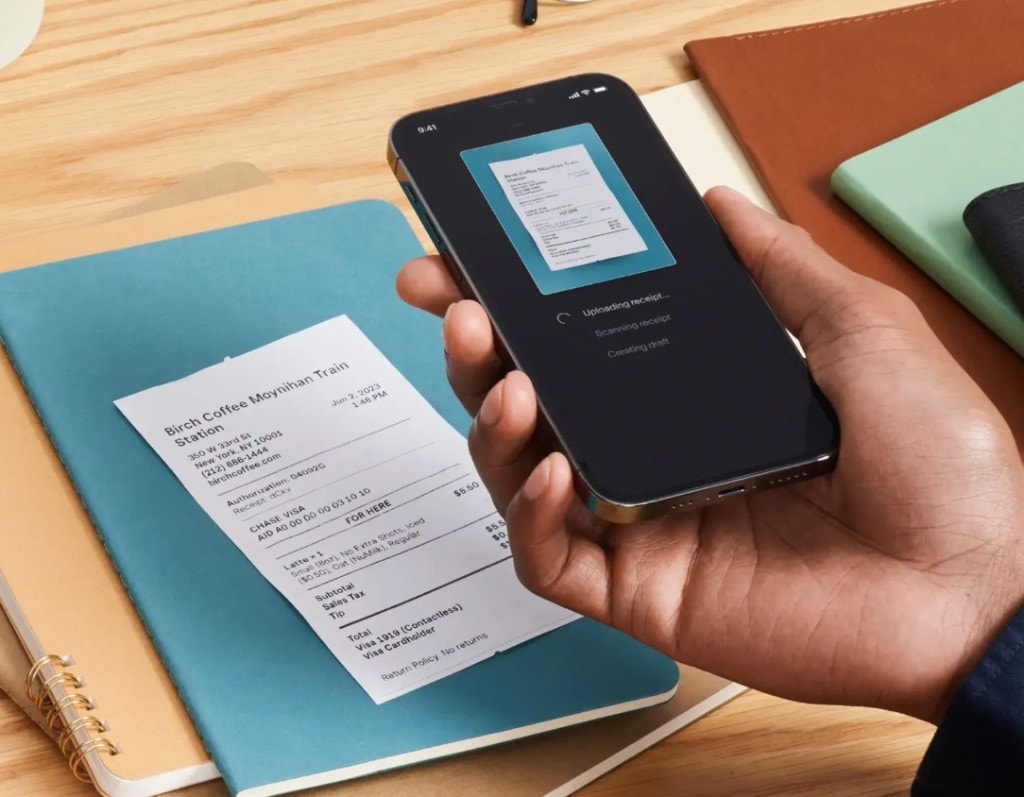
Keep gear, travel, and studio purchases together instead of scattered across emails, camera rolls and paper.
No last-minute cleanup after peak season. Your bookkeeping stays organized so tax time becomes much less stressful.
Export organized records in one click so your accountant receives everything they need.
Built specifically for photographers who need calm expense tracking between shoots, not a full accounting suite.
Snap receipts on site so travel and gear costs do not wait until you are back at a desk.
Good morning,
Joe 👋
Revenue
€8,420
Expenses
€2,180
Profit
€6,240
VAT Saved
€880
Organize gear, travel, software, and marketing without a heavy accounting setup.
Profit
€4,220
Revenue
€8,420
Expenses
€259
See what each busy month actually kept after expenses, not just what invoiced.
Receipt
Coffee
Fuel
Tax
Invoice
Office
Meals
VAT
Upload
Files
Sorted
Done
Send organized bookkeeping records when it is time for tax return prep.
Report package
Ready to sendStep 1
Capture gear, travel, and client-related expenses from your phone before they scatter.
City Coffee House
04/25/2026
Step 2
Upload bank CSV files and connect receipts so bank reconciliation stays manageable.
Step 3
Check income, expenses, and profit without rebuilding everything in a spreadsheet.
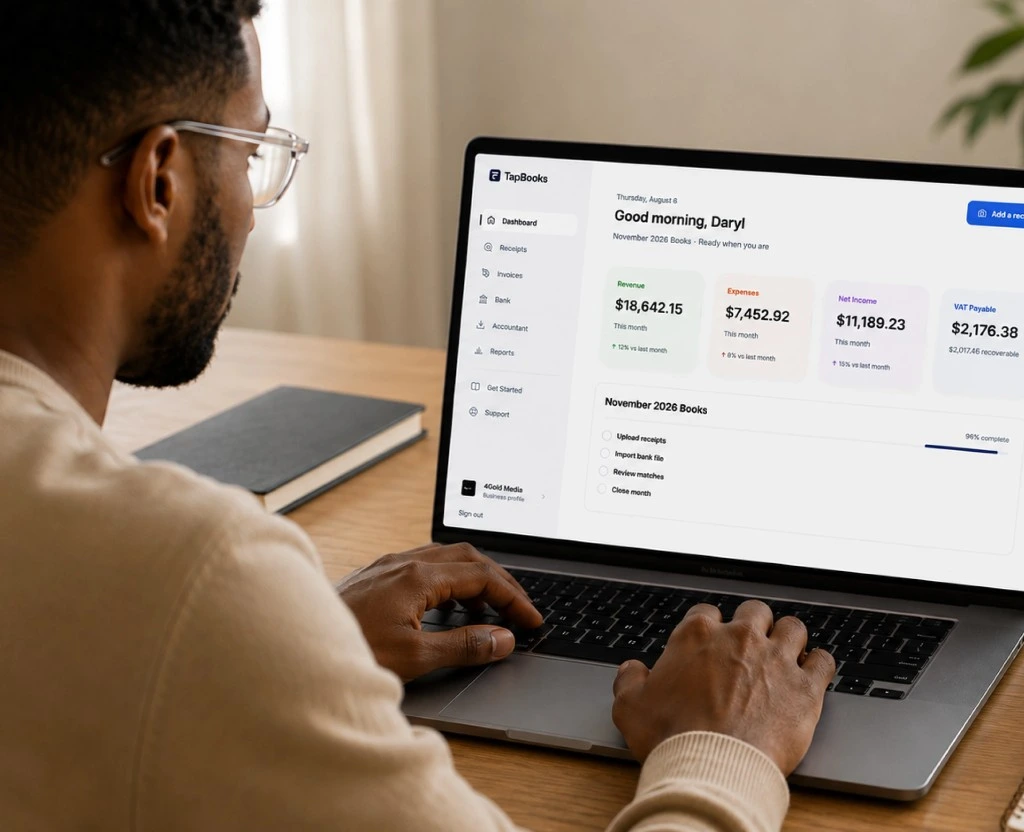
Step 4
Hand over organized documents and bookkeeping records when filing season arrives.
Ready to export
A quick look at setup, receipt capture, and accountant handoff for photographers.
TapBooks
Built for creatives
Calm day-to-day books between shoots.
QuickBooks
Full accounting suite
More powerful, but requires significantly more setup.
Spreadsheets
Completely manual
Flexible, but every process depends on habits.
TapBooks
Fast receipt capture
Built for travel and gear receipts on the go.
QuickBooks
Plan-dependent
Available depending on product and plan.
Spreadsheets
Manual entry
Requires typing or separate scanning apps.
TapBooks
Simple categories
Gear, travel, and studio costs stay clear.
QuickBooks
Full chart of accounts
Detailed accounting categories and structure.
Spreadsheets
Custom columns
Whatever columns you create and maintain.
TapBooks
One-tap packages
Cleaner handoff when filing season arrives.
QuickBooks
Accountant workflows
Access and exports are commonly available.
Spreadsheets
Manual assembly
You gather the package yourself.
TapBooks
Minutes, not hours
Start around receipts and bank uploads.
QuickBooks
Longer setup
Company and account structure take more time.
Spreadsheets
Fast to open
Slow to standardize across busy seasons.
TapBooks
Low for photographers
Focused on organized books, not full ledgers.
QuickBooks
Steeper learning
Heavier if you only need expense tracking.
Spreadsheets
Easy to start
Hard to keep consistent after peak season.
TapBooks
Beginner-friendly
Yes for photographers new to bookkeeping.
QuickBooks
Better with experience
Useful when fuller accounting is required.
Spreadsheets
Simple lists only
Weak for a recurring bookkeeping process.
TapBooks
Clear monthly views
Income and expenses at a glance after shoots.
QuickBooks
Deep financial reports
Full accounting statements and analysis.
Spreadsheets
DIY reports
Only the reports you build and maintain.
TapBooks
Free plan available
Then simple Pro pricing as you grow.
QuickBooks
Tiered plans
Pricing grows with accounting needs.
Spreadsheets
Low software cost
High time cost to keep books current.

Between shoots I used to lose track of travel and gear receipts. TapBooks keeps everything in one place so month-end no longer feels like another project.
Maya Chen
Portrait and event photographer
Hey there,
My name is Jochem, and I'm a small business owner just like you.
Bookkeeping has always been a headache for me.
When I started my first business, I used spreadsheets for everything. At first it worked, but as my business grew it became messy. Organizing invoices, bills and receipts often took me hours, and sometimes even a whole day.
Eventually I switched to "professional" bookkeeping software. I expected it to make my life easier, but honestly, I found it full of features I never used. It also felt way too complicated. There were so many things I simply didn't understand... because I'm not an accountant.
After years of frustration, I kept thinking there had to be a simpler way. Something built for freelancers and small business owners, with only the features you actually need.
That's why I built TapBooks.
I hope TapBooks helps you spend less time on bookkeeping and more time growing your business.
If you have any feedback, ideas or improvements, just send me an email. I read every message myself and I always reply.
Thanks for giving TapBooks a try.